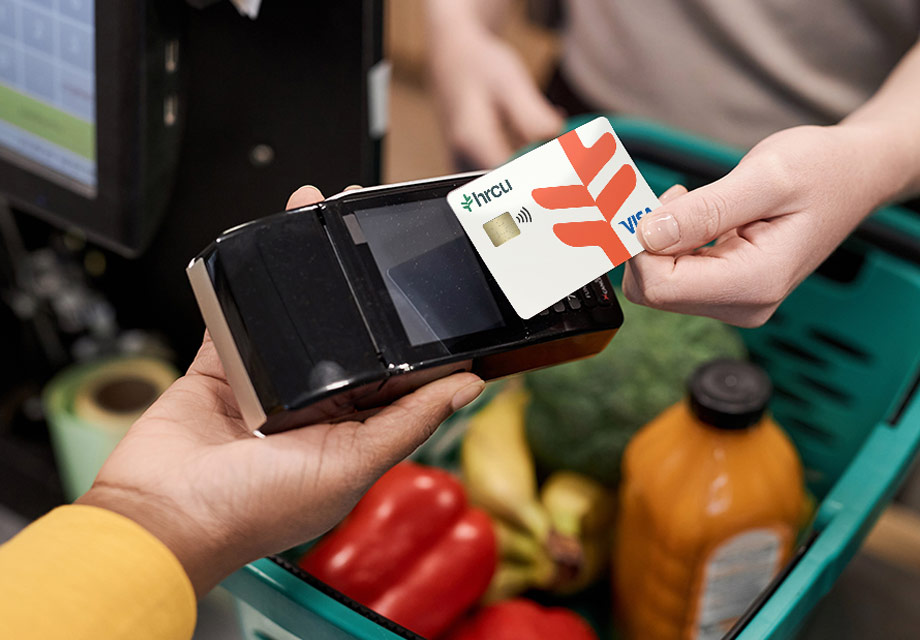
Enjoy more while spending less with our lower-interest card.
HRCU's Visa Platinum Credit Card keeps interest low so if you're looking to build your credit or don't want to pay high interest fees, this is the card for you.
For those who want to skip rewards and pay a lower rate
Global acceptance at millions of merchants
Receive a free contactless Visa® credit card that you can add to your mobile wallet

Low interest rates: Make your purchases without hefty interest fees
No annual fee: Keep more money in your pocket without added costs
Control your card, view spending insights, and set up travel notices with Card Management
Friendly, personal service from your local credit union
Easy online account management: Bank on-the-go with our user-friendly online and mobile app
Fraud protection: Know your transactions are safeguarded with advanced security measures
Mobile wallet-ready: Receive a free contactless Visa® credit card that you can add to your mobile wallet for Apple Pay®, Samsung Wallet, or Google Pay™
*APR = Annual Percentage Rate. Rates are variable. Rates and terms are determined by the overall creditworthiness of each applicant and are subject to change.
Transfer your credit card balance to our lower rates with Visa Balance Transfers. Start fresh with a new credit card to help you save on monthly interest payments. Plus, if you open a new Visa® Rewards card, you can earn points redeemable for Amazon purchases, loan rate discounts, gift cards, appliances, and more.
If you currently have a Visa credit card with HRCU, complete the secure and easy balance transfer form.
If you don't have a Visa credit card with HRCU, click the Apply Now button below to get started on signing up and getting the balance transfer process started.
Have any questions? Click the Live Chat icon below or contact our Member Support team.
APR = Annual Percentage Rate. Special offer on visa balance transfers for current and new HRCU visa credit card holders. A promotional rate of 4.99% APR will apply to the transferred balance for 18 months from the date the transfer is completed. After the promotional period ends, any remaining balance after the transfer period will be subject to the current rate of purchase. This rate is variable and subject to change. New members are subject to membership eligibility. Subject to credit approval. Additional terms, conditions, and limitations apply and will be provided upon approval. HRCU employees, family members, and volunteers are eligible to apply.
Step 1: Log in to our Mobile Banking app or Online Banking via desktop. Go to your Dashboard and select Transfers to get started.
Step 2: Click Make a Transfer to schedule a new transfer. You can also add an HRCU or external account to transfer to. When you click From Account, you can select your HRCU account or add an external account you'd like to make the payment from. When you click To Account, click on your Visa card that you would like to make a payment on.
Step 3: Select where and how much you'd like to transfer between account. When making a payment, you can choose to make a Regular Payment, Pay Off, or Principal Only payment if paying on a loan.
Step 4: Choose the frequency of the transfer as well as the start date. You can choose to make a One-Time Payment, or you can make recurring payments Daily, Weekly, Biweekly, Monthly, End of Month, Semi Monthly, Every Other Month, Every Four Weeks, Quarterly, Every Six Months or Yearly.
Card Management allows you to self-manage your HRCU card.
Some examples include:
Locking and unlocking your card
Setting up travel notifications
Establishing transaction limitations
Setting up transaction alerts
And more!
Card Management is an easy-to-use tool that helps you manage your finances by controlling how, when, and where your HRCU debit and credit cards are used.
You can manage all aspects of your cards, including locking and unlocking them, reporting lost or stolen cards, and limiting transactions by location, store, and transaction type. You'll also gain insight into your spending and subscriptions.
Log in to our Mobile Banking app or Online Banking via desktop. Go to your Dashboard and select Card Management to get started.
Card Management allows you to set travel plans with a maximum duration of 14 days. If you are traveling for more than 14 days, you will need to either update the app after the 14-day period ends or contact HRCU Member Support at 603-332-6840.
In the Mobile App, alerts are sent as push notifications. In Online Banking, alerts appear under Messages on the Dashboard.
“Recurring Payments” are scheduled, repeated payments, such as for streaming subscriptions or cellular bills. “Card on File” refers to merchants that store your card information for future purchases, such as online retailers or delivery apps.
Any HRCU debit, credit, or HSA card.
Any transactions made with your cards are shown. Teller transactions, wire transfers, and payments made via Bill Pay and ACH are NOT included.
No. Previously authorized recurring payments will not be affected by card controls.
Card Management allows you to set two travel plans at a time, each with a maximum duration of 14 days. If you plan to travel more than twice a year or for longer than 14 days, you will need to update the app after each trip or contact HRCU Member Support at 603-332-6840.
Control and alert settings take effect immediately.
Select the transaction in Card Management to view its details. For in-person purchases, a Google Map may display the transaction location. If you still don’t recognize the purchase, contact the merchant using the phone number listed.
If you need additional help, call HRCU Member Support at 603-332-6840.
Yes. Card Management currently supports adding your card to Google Wallet and Apple Pay.
Yes, multiple HRCU cards can be accessed via Card Management. Cards from other financial institutions cannot be viewed.
All international transactions are already blocked by HRCU.
Check the App Store to make sure you have the most current version of the HRCU Mobile App. If an update is available, you will see "Update."
Yes. Card Management displays the last 50 card-based transactions posted within the past 30 days.
Some merchants, such as gas stations, may pre-authorize your card for more than the spending limit you set. In these cases, the card will be denied.
Make your next smart move
Shared branching makes the whole country feel like your neighborhood.